Remember the day.
Make it theirs.
Turn photos and heartfelt words into AI celebration portraits and greeting cards. Keep birthdays, anniversaries, and all the big little moments on your calendar.
Seven ways to celebrate. A keepsake that feels personal.
Pro required for new artwork generation.


A little look inside
HoorayTime.
Choose the moment. Make the keepsake. Come back when the next celebration calls.
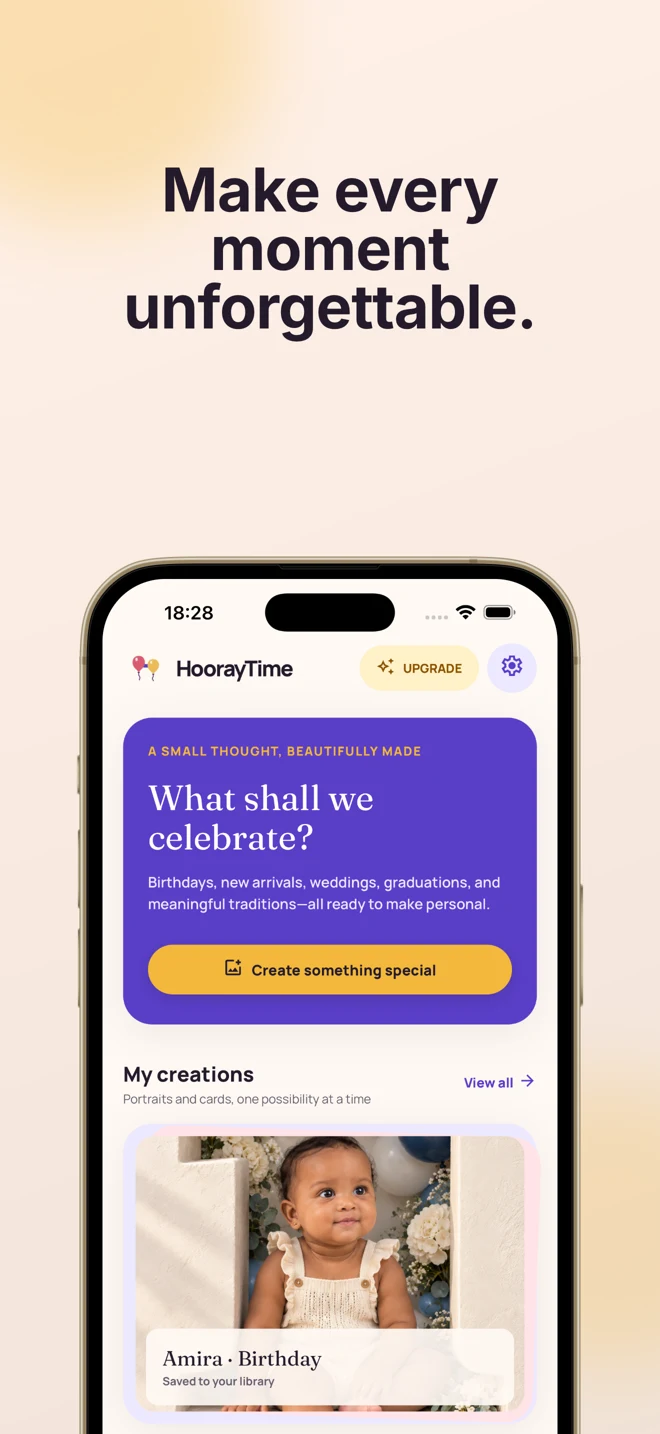
Life gives you the moment.
You make it personal.
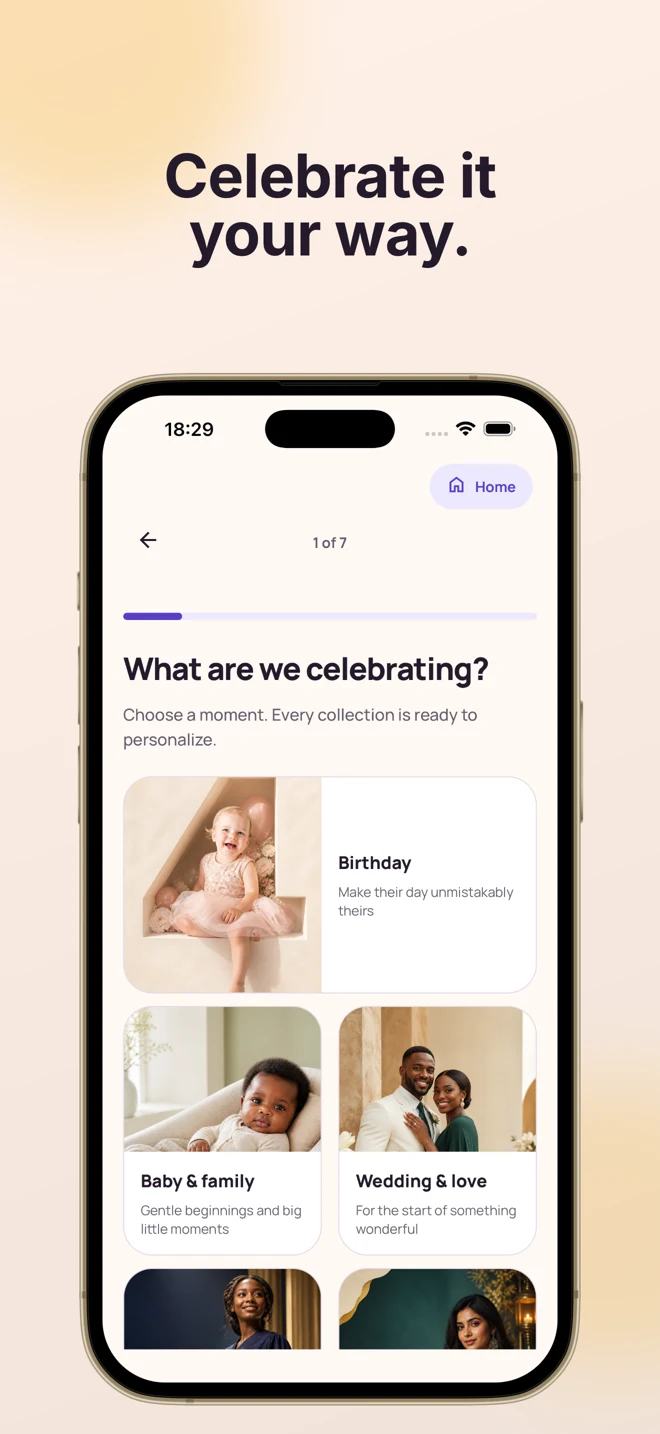
Seven collections for the people and occasions you want to celebrate.
Birthday
Their new age. Their kind of joy.

Baby & family
A gentle welcome to a whole new chapter.

Wedding & love
For a story you keep choosing.

Graduation
For every step that brought them here.

Holiday & tradition
Your celebration, in your own words.

Personal milestones
Big feelings. Quiet victories.
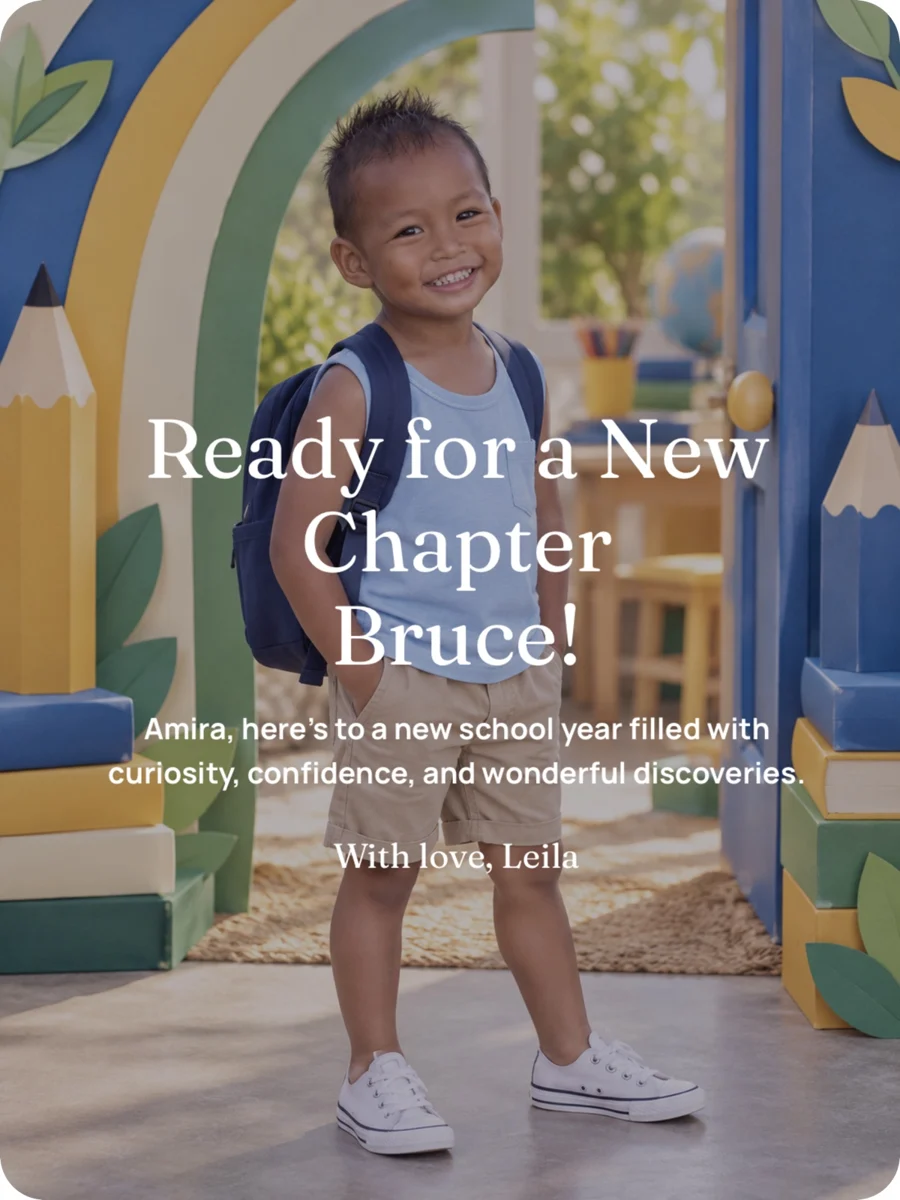
Back to school
A little courage for the first day.
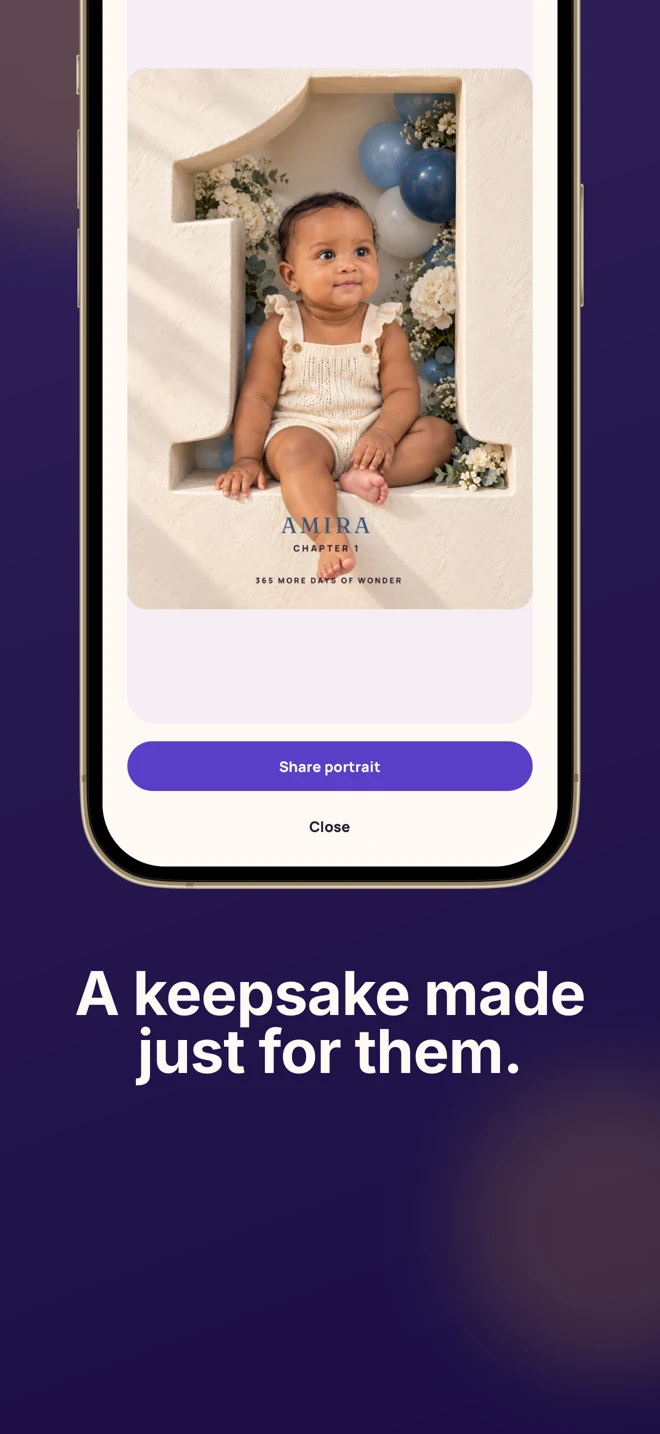
Example artwork from the app. AI-generated results vary.
A little nudge.
A much more
thoughtful day.
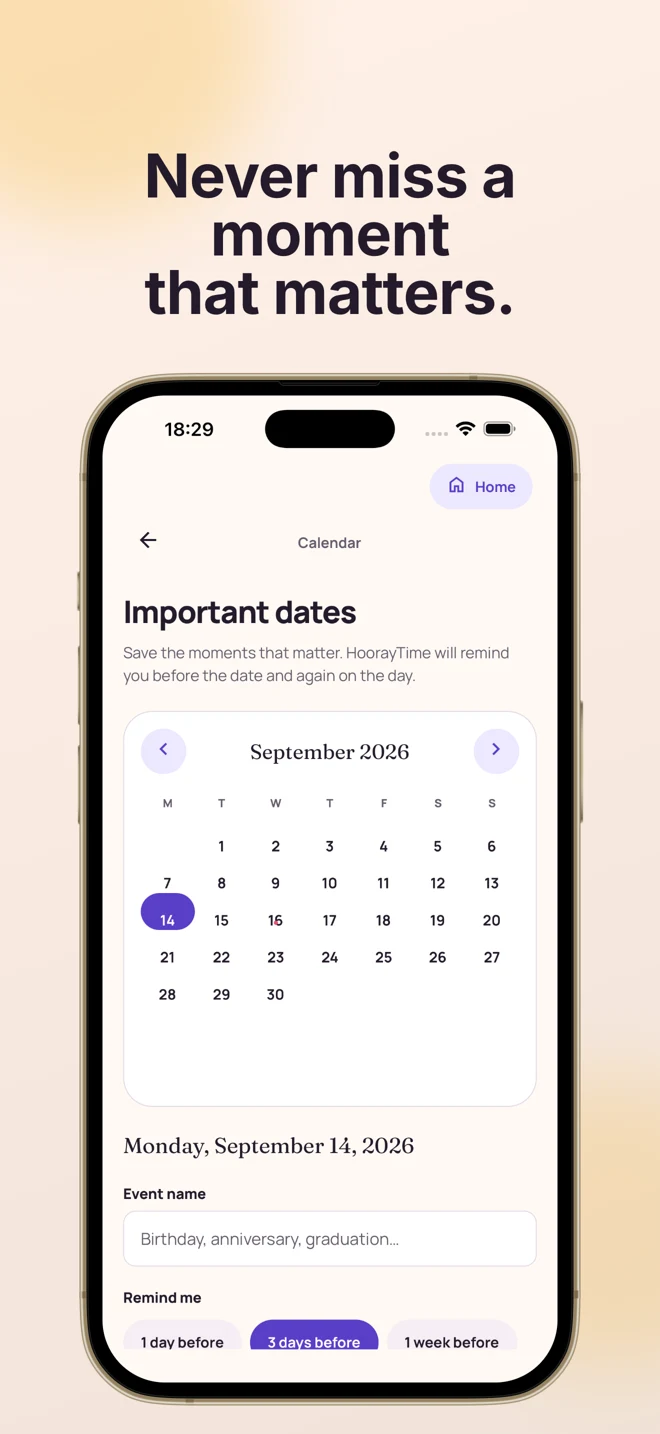
Save a birthday, an anniversary, or a milestone in your calendar. Get a reminder before the date and again on the day, then start a personal card for today’s event.
Notifications need your permission. Events stay on this device and do not automatically repeat each year.
See how reminders work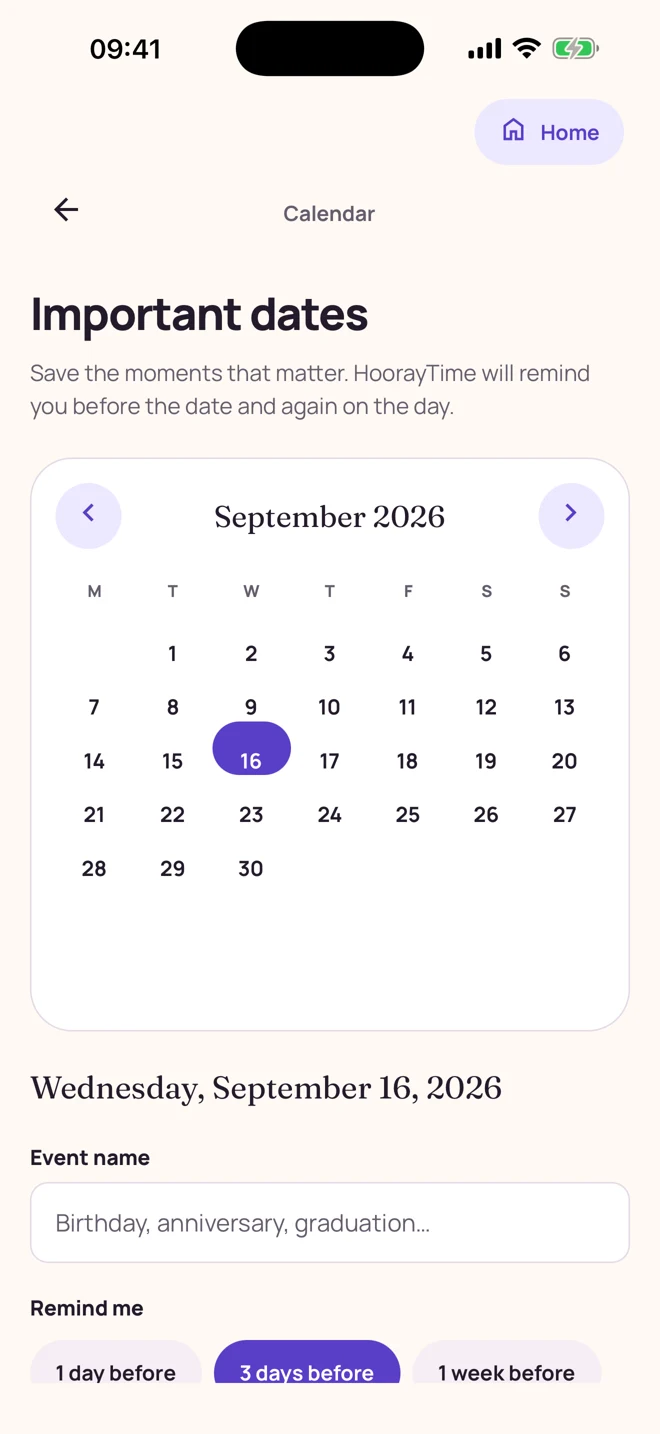
From “I thought of you”
to “I made this for you.”
Start with a moment, not a blank canvas.
Choose what you’re celebrating.
Pick an occasion, visual style, and celebration theme. Use a photo for a person, baby, or couple portrait in a supported collection, or choose an illustrated card.
Make the details theirs.
Add names, a greeting, a signature, and occasion details. Adapt a suggestion, write your own words, or choose No text for artwork only.
Create, finish, and share.
Review and generate with Pro and an available spark. Edit text styles, colors, and placement, then export a PNG to save or send. Allow notifications if you want to know when generation is ready.
Keep the words.
Or let the picture speak.
Edit wording, typography, colors, and placement. Hide the text for an artwork-only version, and keep the longer message for your chat.
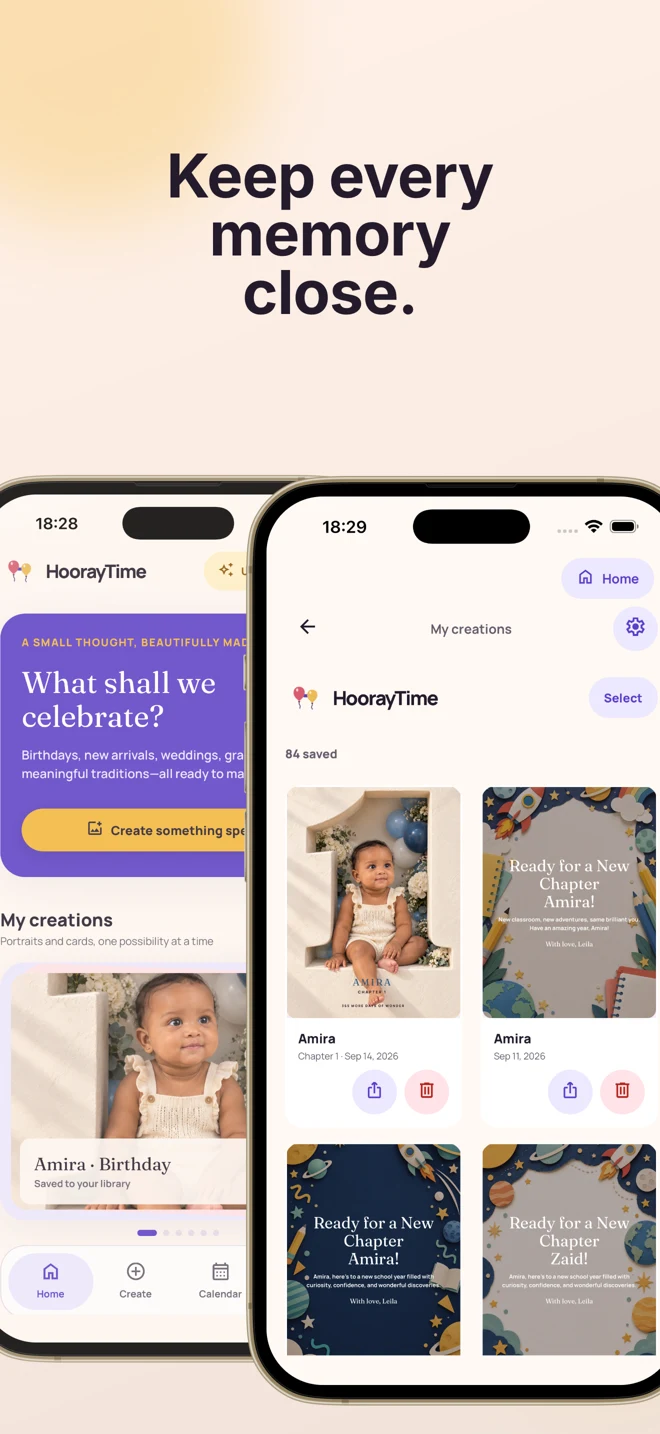
Create an artwork-only exportA library of
“made for you.”
Reopen, edit, and share saved creations. Connect Apple or Google for private cloud backup and restoration of finished artwork.
Save and restore your creations
Your next celebration
starts here.
Explore as a guest. Connect your account and choose HoorayTime Pro when you’re ready to make new artwork.
A spark for every new creation.
One spark creates one portrait or card. Choose a plan for the moments you have in mind.
- Weekly
- 3 sparks per week
- Monthly
- 15 sparks per month
- Yearly
- 180 sparks per year
Paid subscription and internet connection required for generation. Localized prices and renewal terms are shown before payment. Existing creations remain available to edit, export, and share when sparks run out.
Read about plans and exportsA little inspiration
goes a long way.
Practical ideas for the photo, the words, and the moment you want to make special.
How to set birthday and anniversary reminders in HoorayTime
Save important dates, choose an advance reminder, and start a personal card when the day arrives.
How to make an AI baby portrait or new-arrival card
Create a newborn keepsake from a baby photo, or make an illustrated welcome card without uploading a face.
How to make a wedding or anniversary photo card
Turn a couple’s photo and a meaningful date into an AI portrait or a personal illustrated card.
How to make an AI graduation portrait and congratulations card
Celebrate the graduate with a photo-based keepsake, a personal message, and a finished image ready to share.

What to write in a birthday card for your best friend
Find original birthday wishes for your best friend, a simple personal-message formula, and steps to turn your words into a HoorayTime birthday card.
Good questions.
Clear answers.
What can I make with HoorayTime?
Create AI portraits and illustrated greeting cards for birthdays, baby and family moments, weddings and love, graduation, holidays and traditions, personal milestones, and back to school.
Learn moreCan HoorayTime remind me about birthdays and anniversaries?
Yes. Save a date and choose a reminder 1 day, 3 days, or 1 week before it, plus a reminder on the day. Notification permission is required. Events are local and do not automatically repeat annually.
Learn moreCan I start a card from a calendar event?
For today’s event, the calendar offers Create a card. You then choose the occasion and enter the details. HoorayTime does not automatically create or send the card.
Learn moreHow do I turn a photo into an AI birthday portrait?
Choose Birthday and a photo-based style, select a clear portrait, add the name and age, then review and generate. Edit the caption before exporting.
Learn moreCan I make a baby portrait or new-arrival card?
Yes. Baby & family includes photo-based baby portraits and illustrated cards. Select the occasion and use a parent- or guardian-approved photo if the style needs one.
Learn moreCan I make a couple’s anniversary or wedding card?
Yes. Wedding & love includes couple-photo portrait styles and illustrated cards, with personalized names, greetings, and date or year details.
Learn moreCan I create graduation and back-to-school keepsakes?
Yes. Both have their own collections. Choose a photo-based portrait or an available illustrated design, then personalize the requested details and wording.
Learn moreCan I make a card without uploading a photo?
Yes. Illustrated card styles use your chosen design and editable wording without requiring a reference portrait.
Learn moreCan I save the artwork without any greeting text?
Choose No text in the greeting step or hide editable wording in the editor. This hides text layers, not age numerals or lettering generated into the artwork.
Learn moreCan I send the finished image on WhatsApp?
Export the PNG and use your phone’s Share menu, or save it to Photos and attach it in WhatsApp. The recipient does not need HoorayTime to view the image.
Learn moreDoes HoorayTime back up my creations?
Connected Apple or Google accounts support private cloud backup and restoration of finished creations when the service is available. Calendar events remain local to the device.
Learn moreHow many sparks come with HoorayTime Pro?
Weekly includes 3 sparks per week, Monthly 15 per month, and Yearly 180 per year. One spark creates one portrait or card. Generation requires a paid plan and internet access.
Learn moreCan I edit and export when I run out of sparks?
Yes. Previously saved creations remain available to open, edit, export, and share. New artwork generation needs an available spark.
Learn moreWhich languages does HoorayTime support?
English, French, Japanese, German, Italian, Korean, Brazilian Portuguese, Spanish, Russian, and Arabic. Changing the interface language does not translate your personal wording.
Learn moreWhere can I suggest a feature or get generation help?
Use the app’s feedback board and roadmap to suggest ideas, comment, or vote. The app also offers a generation support and reporting flow.
Learn moreFor the people
who make your days.
Remember their moment. Make something that feels like them.