
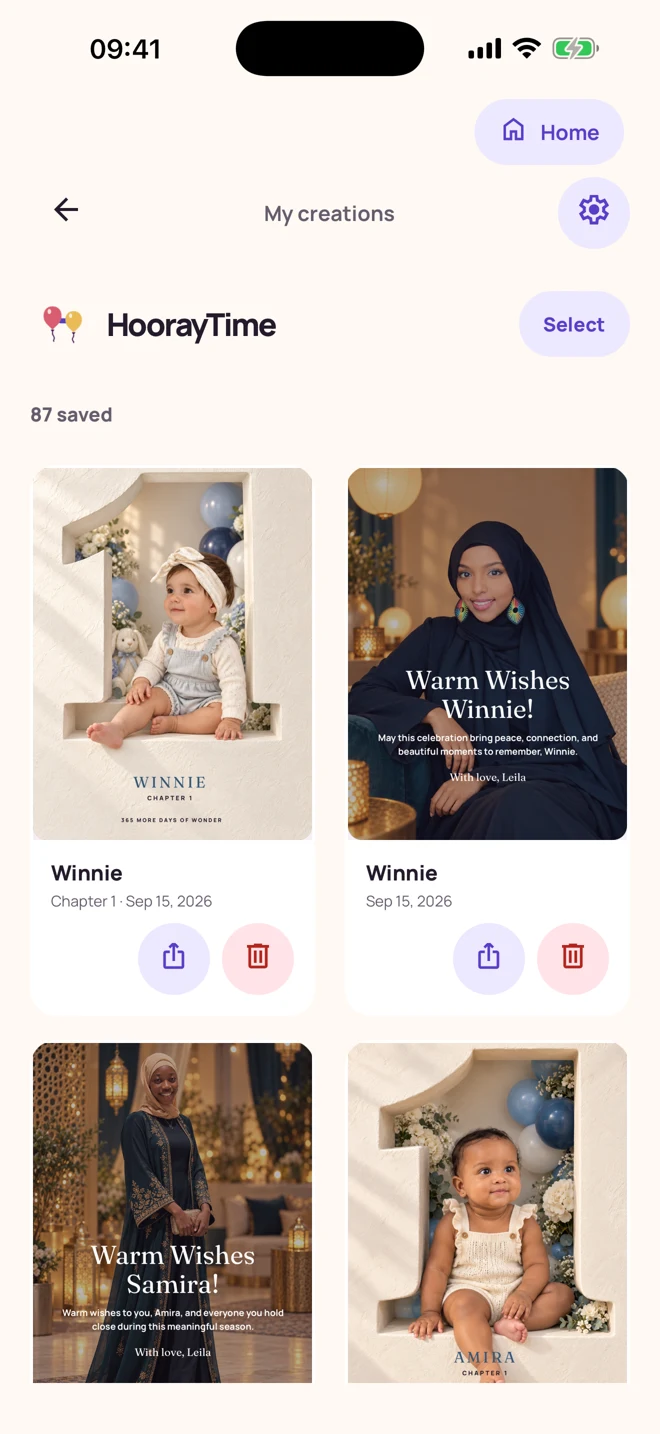
HoorayTime saves finished creations in your Library. A connected Apple or Google account supports private cloud backup and restoration of finished creations when the service is available. You can reopen, edit, export, and share saved artwork. Calendar events are stored locally and are not included in this cloud-backup feature.
Keep the finished image and the editable creation
The Library lets you return to a creation without starting from scratch. Open a saved portrait or card when you want to adjust wording, export another copy, or send it to someone else.
You can also save the finished PNG to Photos. That gives you a normal image file for your own photo library and messaging apps. Saving to Photos asks for the corresponding permission when needed.
Connect the account you will use again
You can explore HoorayTime as a guest. Connect an Apple or Google account when you want account-backed access to your finished creations. If you reinstall or change devices, sign in with the same connected account to restore available backups.
Backup and restoration require connectivity and the production cloud service. Confirm that important work is backed up and keep a local export before changing devices. Do not assume that an unsynchronized local draft is already stored in the cloud.
Restore purchases separately from artwork
Subscription access and saved artwork are different things. If a purchase is missing, open Settings → Manage subscription and use Subscription help to restore it through the store account that made the purchase.
Changing or cancelling a plan is handled through the store where you subscribed. Cancellation stops the next renewal; access continues through the paid period. Saved creations remain available to edit and export when you have no sparks for new generation.
Know what is local and where to get help
Calendar events are local to the device and do not currently sync with the cloud library. Keep a separate record of dates you need to preserve across devices.
For a generation problem, use the app’s help or report flow. The feedback board and roadmap let you suggest ideas, comment, and vote. You can manage or delete your account in the app. Check the privacy policy for the current handling of stored information.
Make this moment personal.
Create with HoorayTime. New artwork requires Pro, an available spark, and an internet connection.
Get HoorayTime